


|
|

 In English
 Suomeksi
Tuning the sides
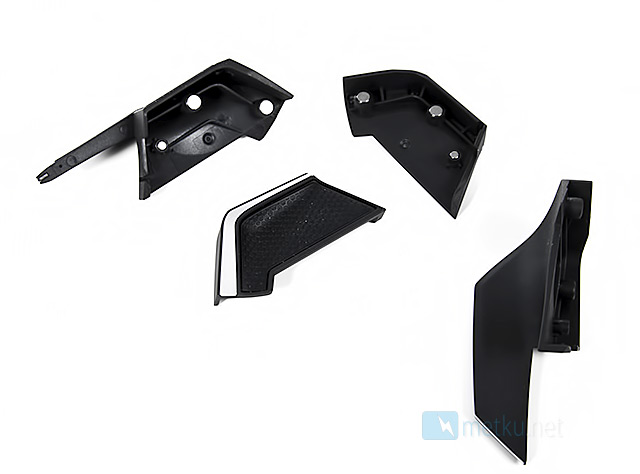
The side panels have three magnets, which are used to mount the changeable side panels. This is very clever solution, and it is very nice to see that Razer didn't use any plastic clamps to lock down the side panels.
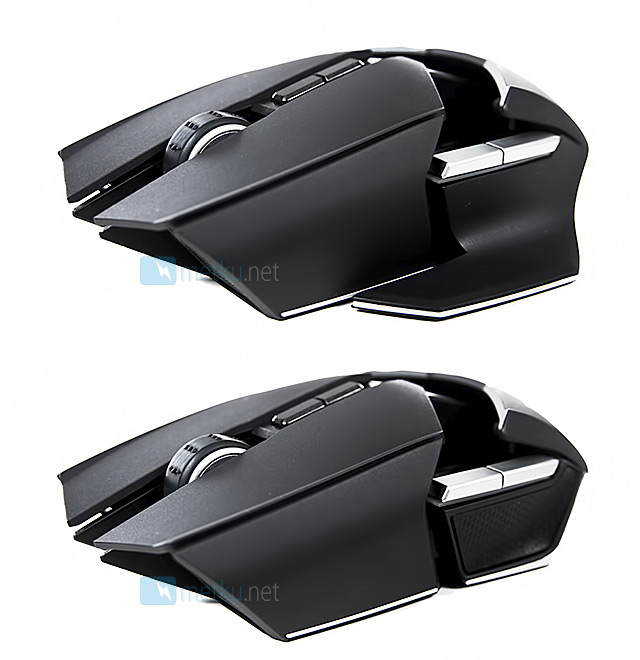
Razer offers two kind of side panels for the mouse. The other has a large thumb rest, and the other is a lot smaller panel with a rubber coating. They can be easily removed and mounted, thanks to the magnets. The mounting seems to be sturdy enough, so the panels shouldn't detach by themselves.
The panel itself is a button, so each side has three buttons. The "panel buttons" are way too stiff, so they're not very comfortable to use.
Bottom
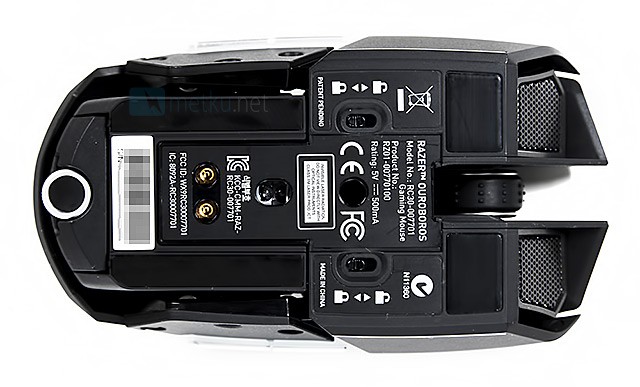
Ouroboros has two sensors, the other is 8200 DPI laser sensor and the other is optical sensor, which calibrates the mouse to the surface. At the bottom there are also charging contacts and the scroll for adjusting the height of the rear panel's arch.
The two sliding switches with lock-figures are used to lock or activate the side panel buttons, so you don't accidentally trigger the buttons.
Compared
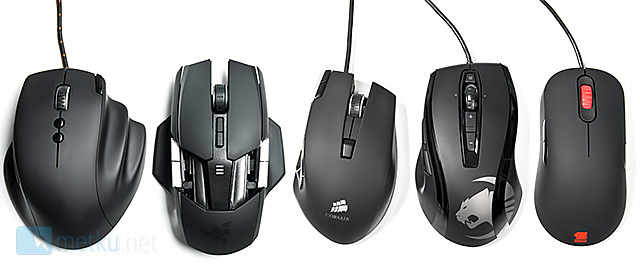
Razer Ouroboros compared to other gaming mice. Mice from left to right: Func MS-3, Razer Ouroboros, Corsair M90, Roccat Kone+, Zowie AM.
 | Pages: 1 2 3 4 5 6 |  |
 Content in english!
 Sisältö suomeksi!